常見技術問題
| FAQ編號 | 25121801 |
|---|---|
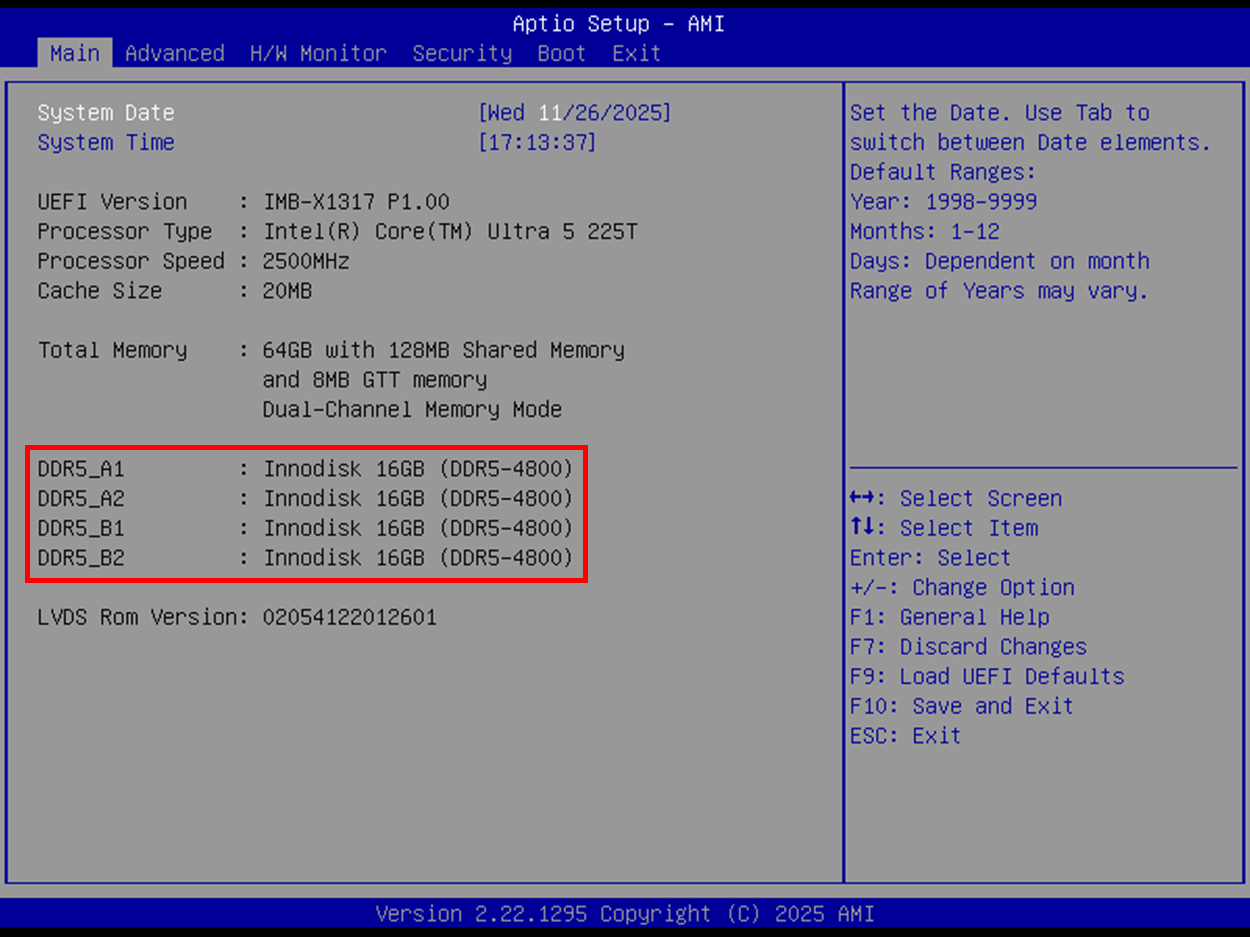
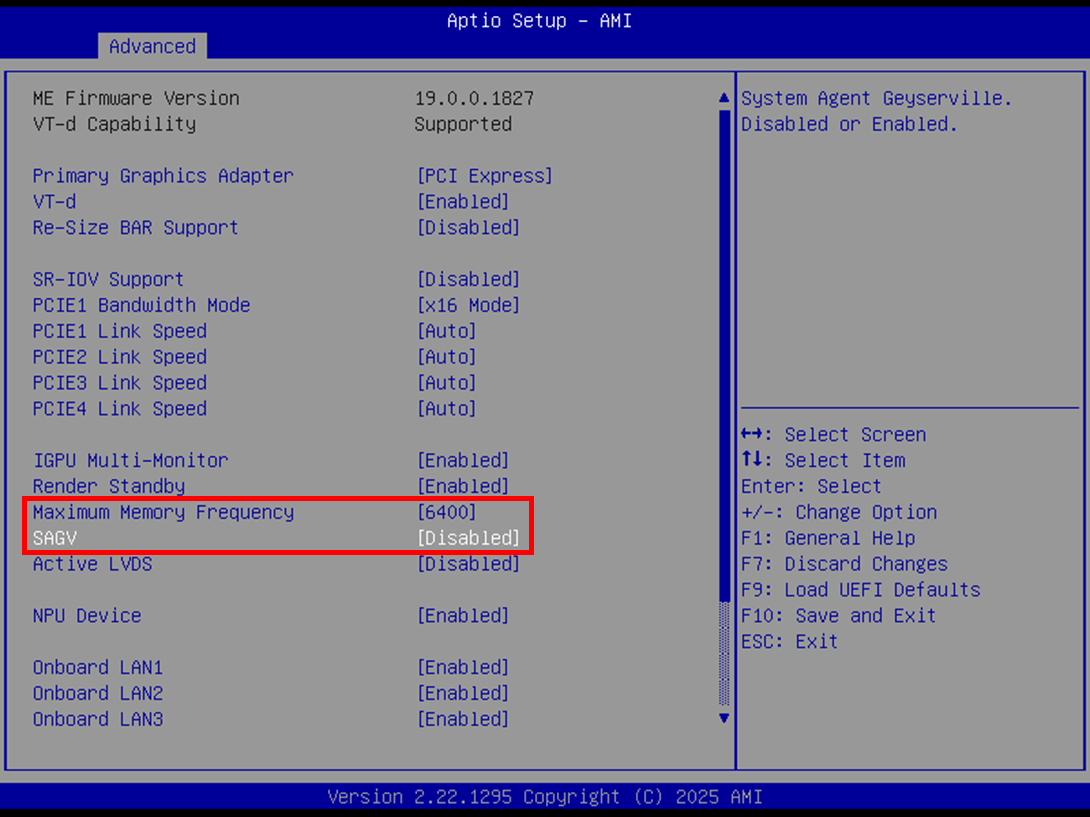
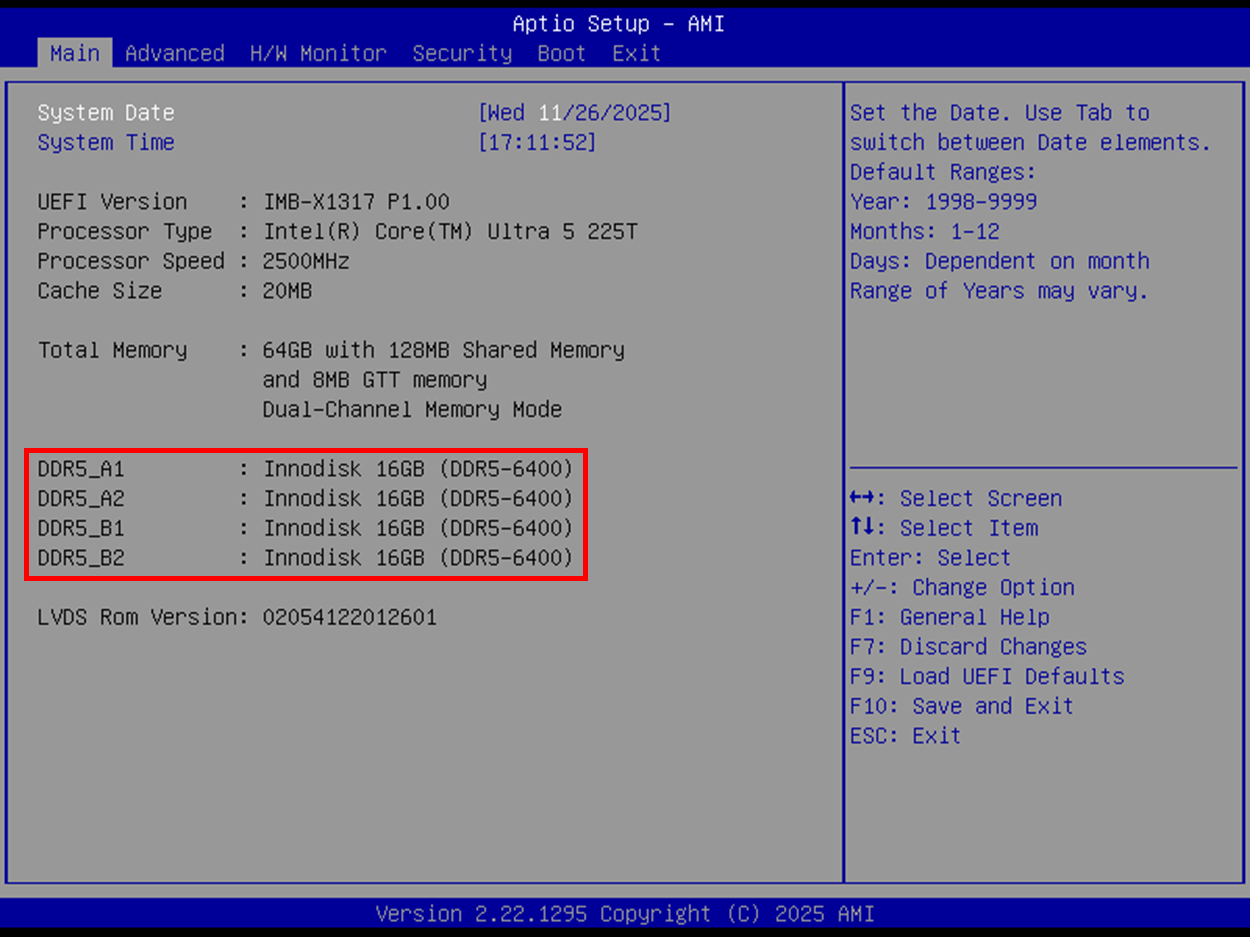
| 問題 | What should I do to support maximum memory frequency up to 6400 MHz? |
| 發布日期 | 2026-01-07 |
| 產品 |
IMB-1715, IMB-X1715, IMB-X1715-10G, IMB-1317, IMB-X1317, IMB-X1317-10G, IMB-1246, IMB-1247, IMB-1248-WV, IMB-1249-WV, IMB-125P-WV, IMB-1250MWV |
| FAQ類別 | |
| 解答 |
To support maximum memory frequency up to 6400 MHz, please follow the steps below to adjust the memory frequency setting:
|